Incogniton V5: Everything That's New in the Latest Anti-Detect Browser Update



Clean IP picks: Static IPs from $1.5 each, Dynamic IPs from $0.5/GB


Incogniton has been one of the go-to anti-detect browsers for multi-account users for about 5 years now. The browser is built with the Chromium engine, with profile management, proxy integration, and team features layered on top. It has built a real following among social media managers, e-commerce sellers running multiple storefronts, affiliate marketers, and teams that automate their browser workflows at scale.
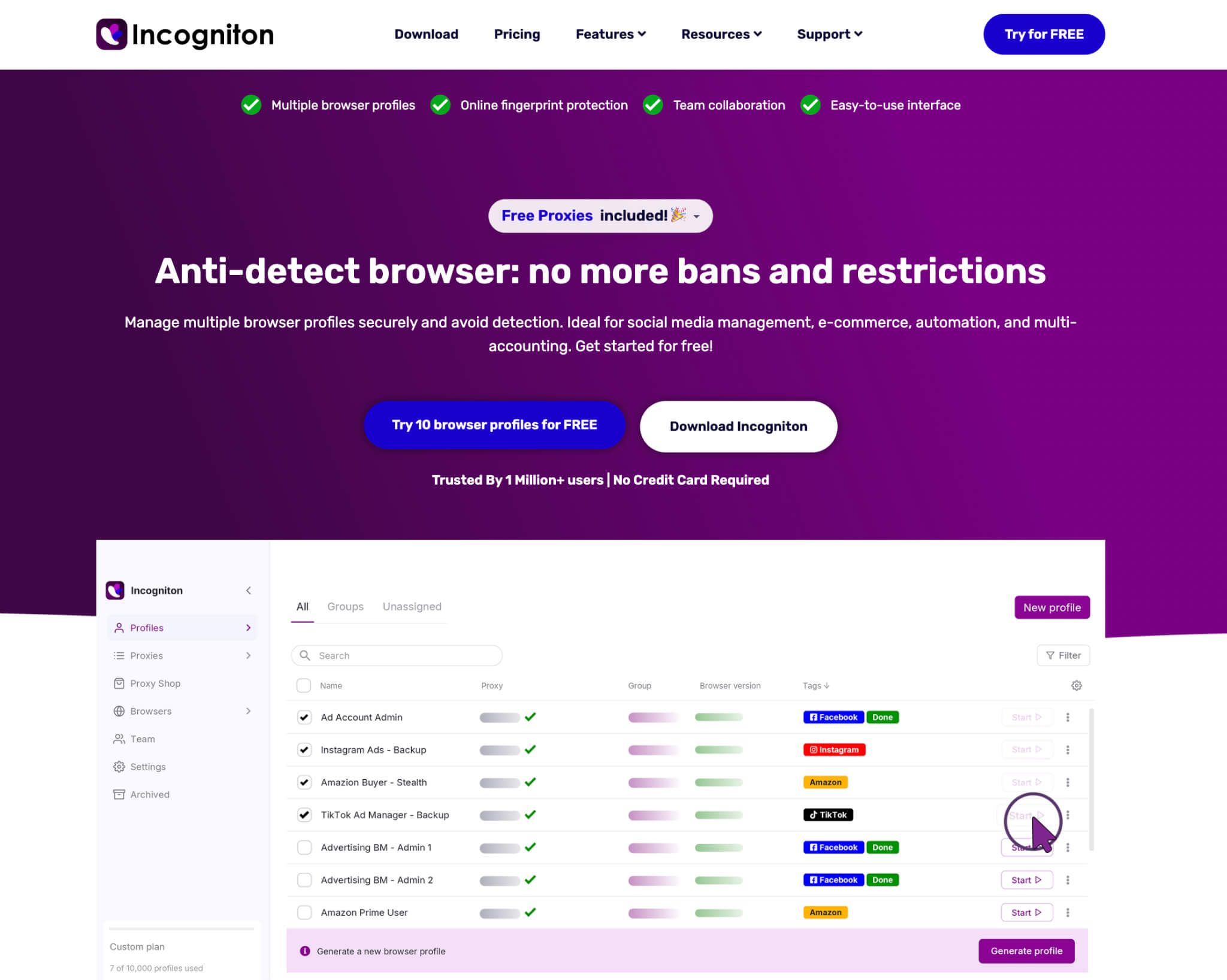
But a tool that's been around a while tends to pick up rough edges too: clunky extension handling and an interface that showed its age in places. V5 is Incogniton's answer to that. It's the biggest update since the V4 architecture, a full rebuild of both the interface and the back end, and it directly targets several of the pain points long-time users have been flagging. Here's a breakdown of what actually changed.
A Rebuilt Interface
The most immediately visible change is a complete visual overhaul. The account and avatar menu has moved into the sidebar, grouping account info, the update check, and browser reinstall options in one place.
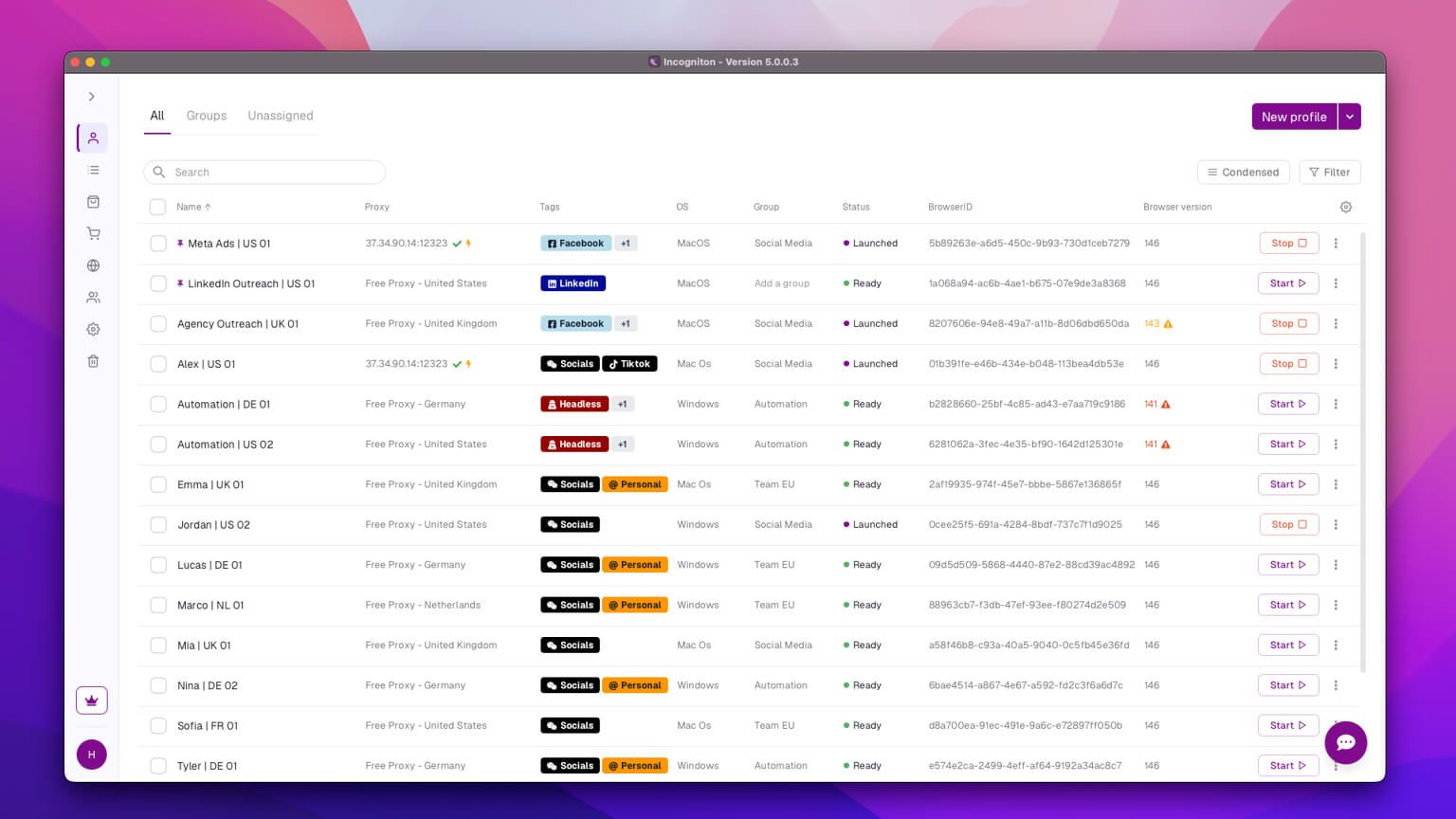
Profile list rendering is noticeably faster too, with no freeze when switching between groups, which matters once you're managing dozens of profiles at once.
The dark mode has finally been extended to cover every part of the app, including tables, drawers, context menus, modals, the sidebar, and the title bar. The theme also switches automatically to match your system's light or dark mode preference, so there's no manual toggle to remember.
Profile Management Improvements
V5 adds several profile workflow features that were missing before. Profiles can now be cloned directly from the profile list, and import/export runs through CSV with a two-stage review table and drag-and-drop support. Profiles can be pinned to the top of the list, and that pin syncs across devices.
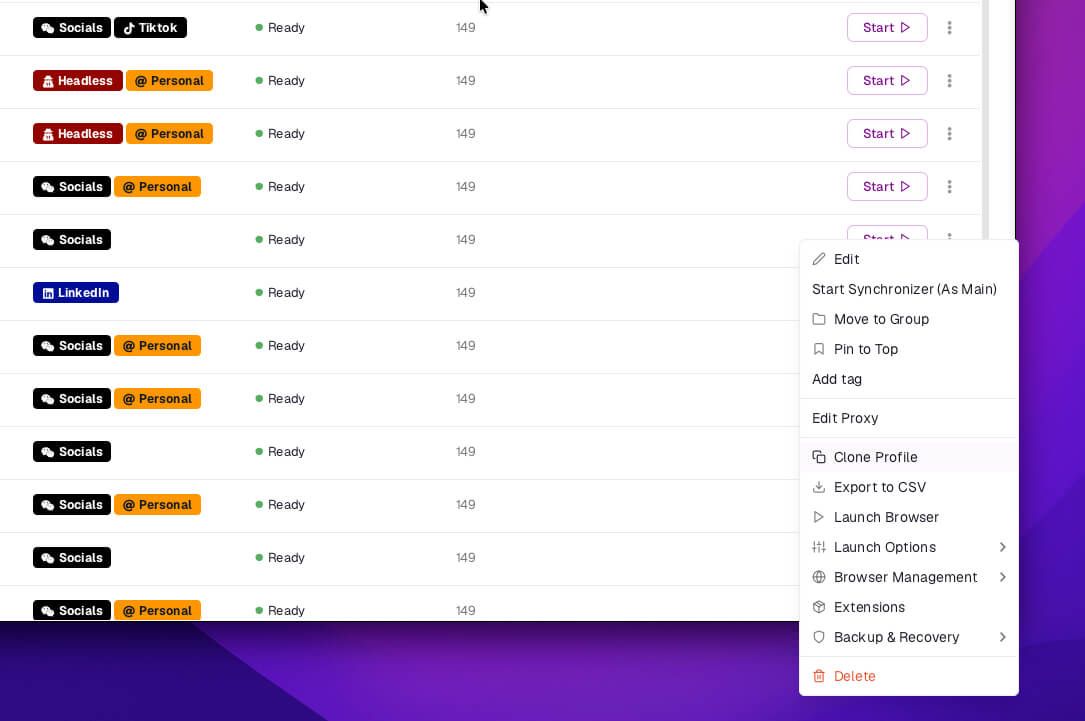
Cloud profiles can be disabled and restored from a new Disabled tab in the trash, and a per-profile clean-cookies action syncs cloud data before clearing, so nothing gets accidentally restored on the next sync.
Extensions get the same overhaul. Older versions handled them through a shared list that required manually entering extension IDs, which was one of the more common complaints about the platform. V5 gives each browser profile its own dedicated Extensions tab, where you can add web-store extensions by URL or upload a custom extension file directly.
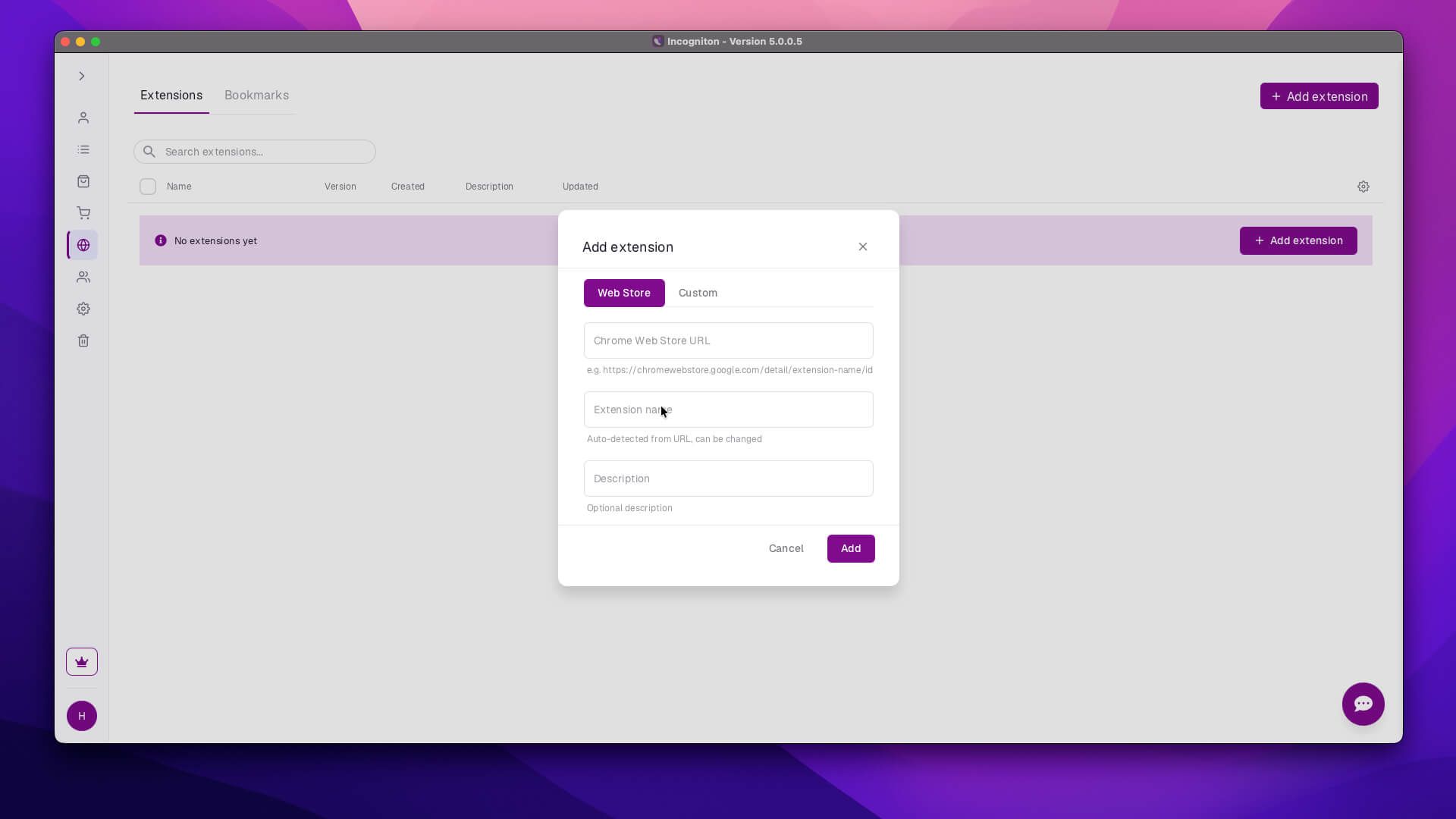
You can also bulk-add extensions across multiple profiles from the profile list, which saves real time if you're managing a large batch of accounts that all need the same toolset.
Proxy Shop Expansion
The in-app Proxy Shop, introduced back in V4, has been rebuilt for V5. It now covers Residential, ISP, Premium ISP, Datacenter, Mobile, and Global ISP proxies through a guided purchase flow with live pricing and a payment summary.
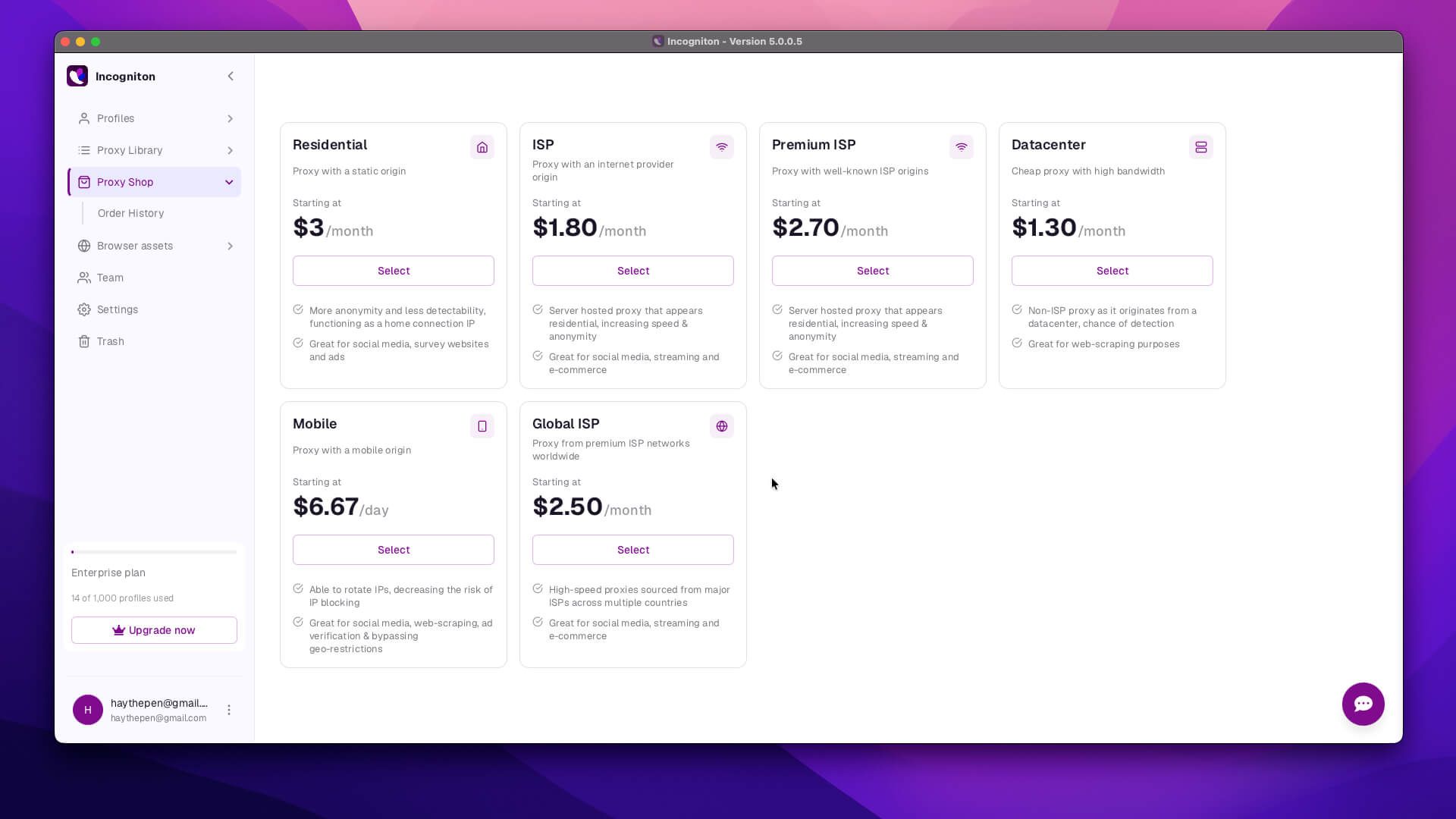
An Order History screen with Active and Expired tabs lets you manage invoices, update IP whitelists, edit static IPs, and control auto-renewal without leaving the app.
Proxy management itself has also expanded, adding bulk rotate, bulk edit, assign-to-profiles, a linked-profiles viewer, CSV export, group pinning, and quick group creation. A per-profile IP rotation button now sits directly in the profile list, and free proxy support has been added for users on the free plan.
None of this locks you into buying proxies through the in-app shop, though. Incogniton still works the same way with proxies from outside providers, so if you're already running IPDEEP proxies, you can assign them to profiles and manage them through the same bulk tools without needing to switch anything over.
Cookie Collector URL Sets
The Cookie Collector helps warm up new profiles by generating organic-looking browsing history before you put an account to work. In V5, it can save and reuse sets of warm-up URLs instead of making you re-enter the list every time you create a new batch of profiles.
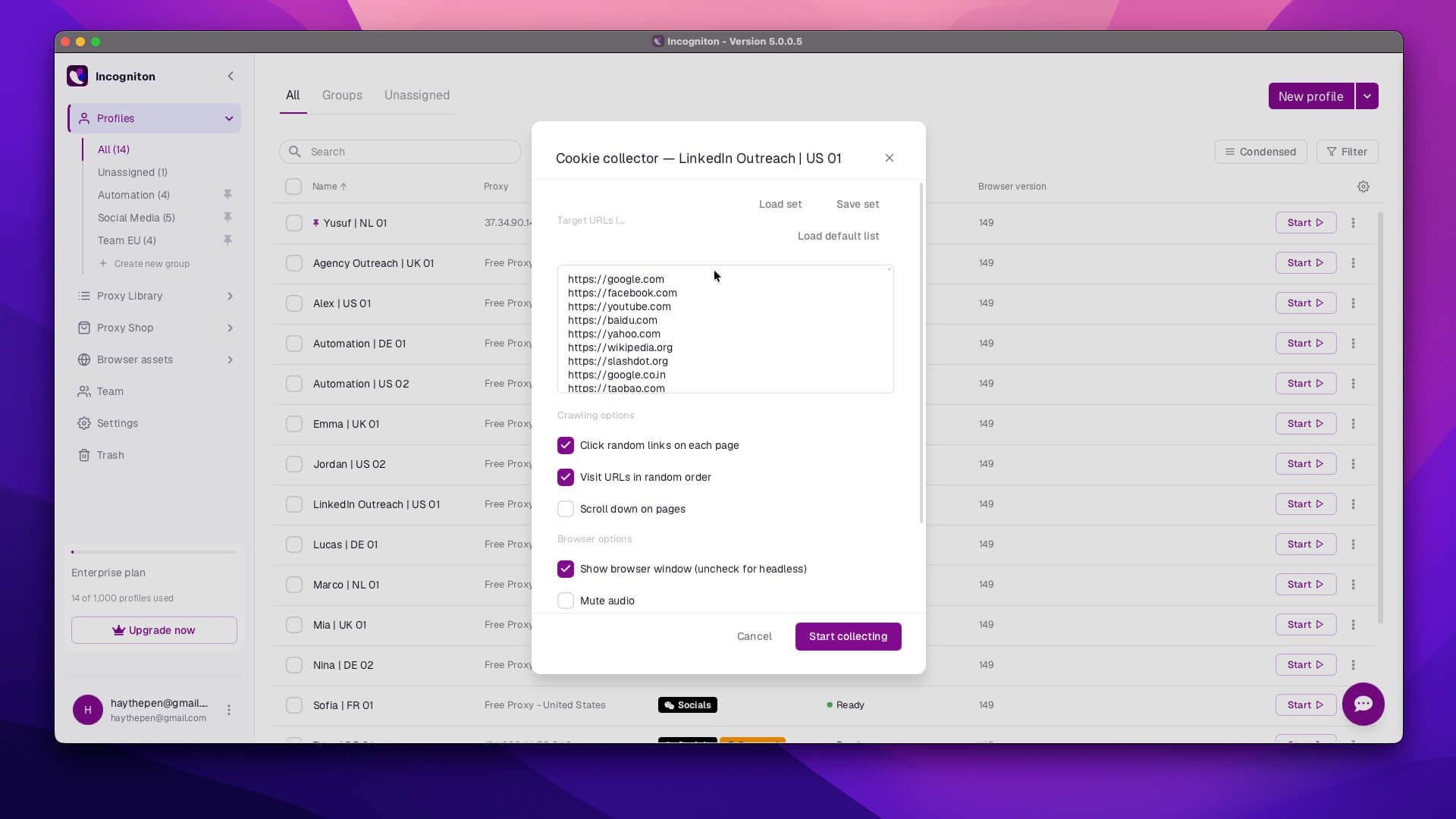
A live progress bar and countdown now show during collection runs, so you can see exactly where a warm-up cycle stands.
MCP Integration
This is the most technically significant addition in the release. Incogniton now ships with a Model Context Protocol (MCP) token system that allows you to use the AI agents with the browser.
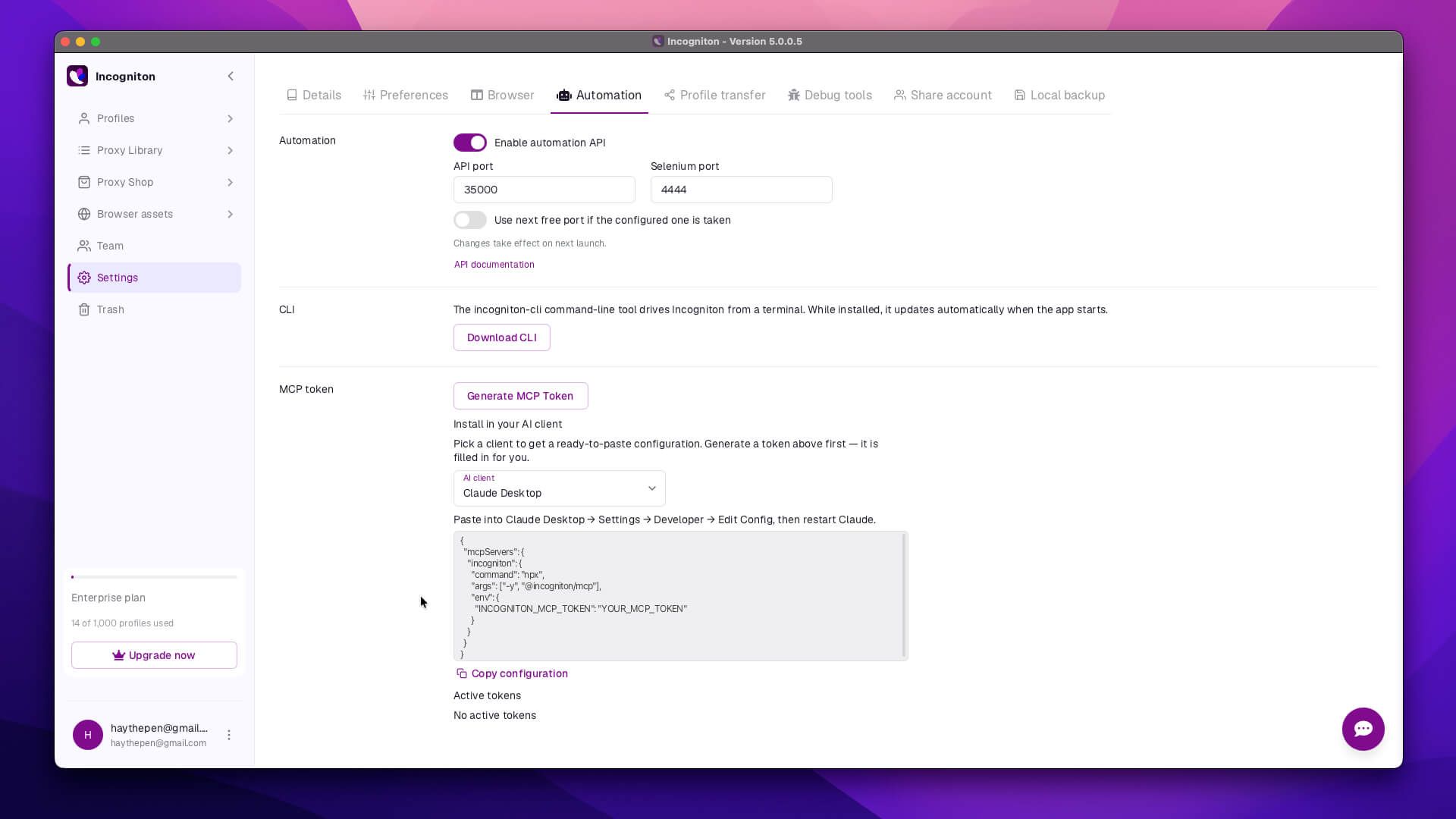
An in-app generator produces ready-to-use configuration for Claude Desktop, Claude Code, Cursor, Windsurf, VS Code, and Codex CLI, which means Incogniton can now act as a browser automation layer inside AI coding tools and agent workflows, not just through traditional Selenium or Puppeteer scripts.
For anyone building automated multi-account workflows, this closes a gap the platform had left open for a while.
Other Improvements
The update also comes with routine changes. The browser core is now updated to Chrome 149, which applies to new profiles and the "latest user-agent" option.
Onboarding is now much easier. New users now get a guided setup walkthrough on first launch, including a language selector and a silent background browser download, and the tutorial can be replayed anytime from Settings.
Also, the number of languages the browser supports has increased to seven, with Spanish and Vietnamese added in this release. You can also now switch languages right from the login and registration screens, as well as inside the app.
The update also added an automatic fallback system to a backup connection for users in regions where Incogniton's main servers are hard to reach, so login and profile launching can recover without needing a VPN.
Conclusion
Incogniton earned its spot as one of the top picks for multi-accounters by getting the fundamentals right, and V5 is what happens when a platform actually listens to the friction points its own users kept running into. The clunky extension workflow and the interface that hadn't been touched in a while: all of it got addressed in one release, alongside a genuinely forward-looking addition in the MCP integration.
For existing users, this is as close to a no-brainer update as it gets. For anyone still comparing anti-detect browsers, V5 makes a strong case that Incogniton isn't just holding its position in the market; it's actively building on it, and the free 10-profile trial is a considerably better place to start than it used to be.